
Fabric, set up per version
The loader installs itself for whatever version you choose. Want plain vanilla? It's a single toggle in settings.
Cobalt sorts out Java, Fabric and your mods in the background. No wikis, no hunting for the right version, no broken jars to fix. You just play.
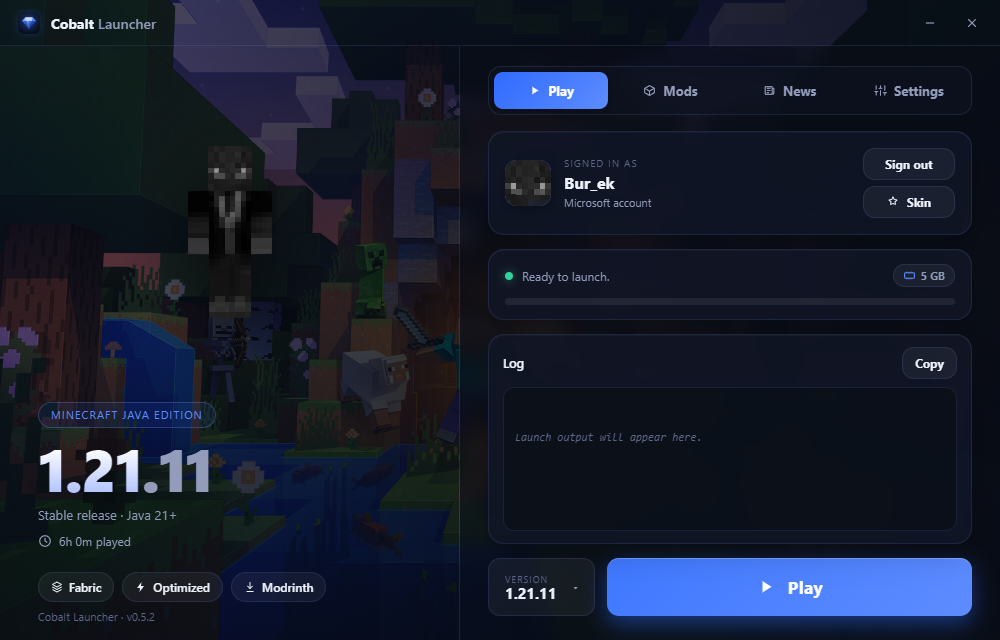
The loader installs itself for whatever version you choose. Want plain vanilla? It's a single toggle in settings.
Sodium, Lithium and a couple of memory mods come pre-loaded, so the game runs well the very first time you open it.
Search a mod, install it, switch it off, delete it. No browser tabs, no dragging jars into folders by hand.
Your character shows up and waves when you sign in. Drop in a new skin and spin it around before it goes live.
Releases and snapshots land in a News tab, newest first. Open one to read the full changelog without leaving.
When a new build ships, a small bar appears. One tap and you're current, while your worlds, mods and login stay put.
Pick a folder and let it finish. There's nothing to configure.
Log in with the Microsoft account that owns Java Edition.
Choose your desired minecraft version, press play and automatically the launcher gonna download all the Minecraft files after that you can play!